
Working with Web Links

This page explains how to search and replace web link URLs.
Searching and Replacing Web Link URLs
By default, the app searches and replaces normal page content text.
You can also enable search and replace for web link URLs.
How to Enable
Open the search and replace panel.
Check Show web links.
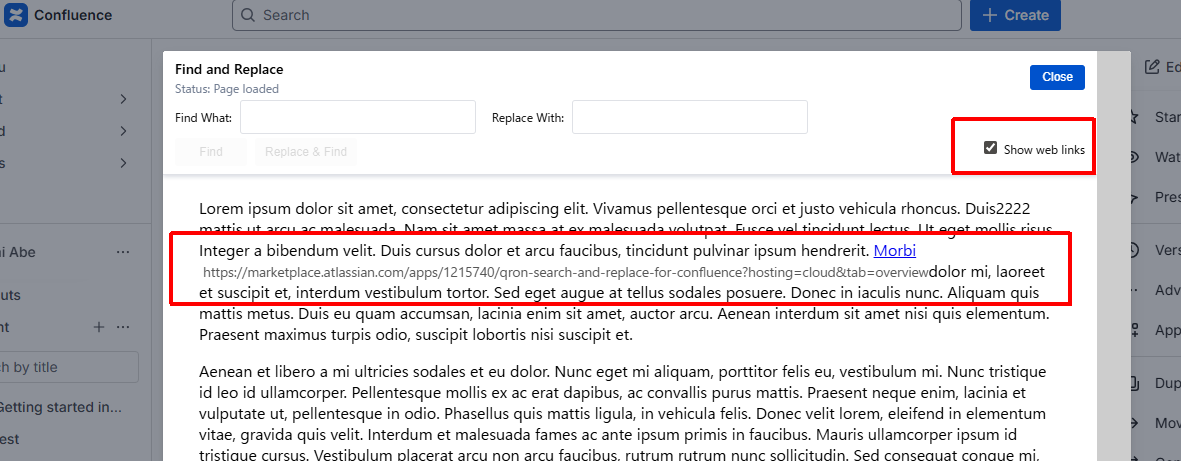
URLs of web links become searchable and replaceable.
Notes on Web Links
This option uncovers web links rendered by macros.
Replacing a URL with invalid characters or an unsupported protocol will cause the web link to be removed after saving.
Example:
Replacing
httpwithtcpwill remove the web link.
Use this feature carefully, especially when updating URLs.