Guide for users
This page explains what Qron Search and Replace for Confluence is and what you can do with it.
Quick Start
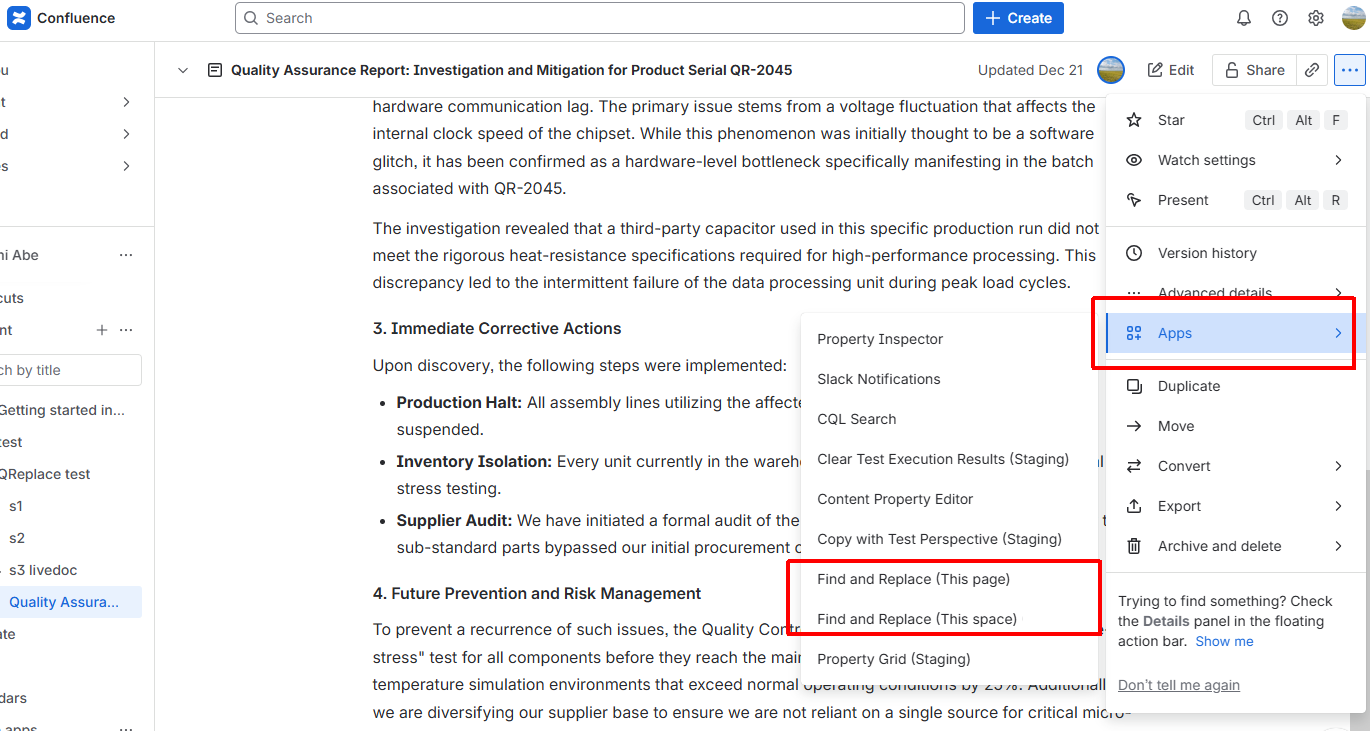
Open the page menu, select Find and Replace, enter the text to search and replace, and apply changes one match at a time.
Qron Search and Replace for Confluence
Qron Search and Replace for Confluence allows you to safely search and replace text in Confluence pages, either on a single page or across all pages in a space.
Instead of replacing everything at once, the app highlights each match and lets you decide whether to replace it or skip it. This helps prevent unintended changes and gives you full control over the process.
Key Features
Interactive search and replace
Page-level and space-level operations
Visual highlighting of matched text
Automatic saving
Optional search and replace for web link URLs
Where to Find the App
The app is available from the page menu in Confluence.